
Get web notifications about news, updates and promotions. Unsubscribe
anytime.
Get emails about news, updates and promotions. Unsubscribe anytime.
Please provide a valid email address.
Account Management
Learn how to manage your 3DtoMe account, change your password, check your subscription, and more.
Overview
You use the same 3DtoMe account in the web viewer at viewer.3dto.me and in the 3DtoMe apps.
- Sign up with your email address or with Apple.
- Log in and set up two-factor authentication.
- Reset or change your password.
- Check and manage your subscription.
- Delete your account.
For help with your account, contact our support team on the Contact Us page.
Profile settings in the web viewer
- Sign in at viewer.3dto.me and click your name at the bottom of the left panel. The Profile settings window opens.
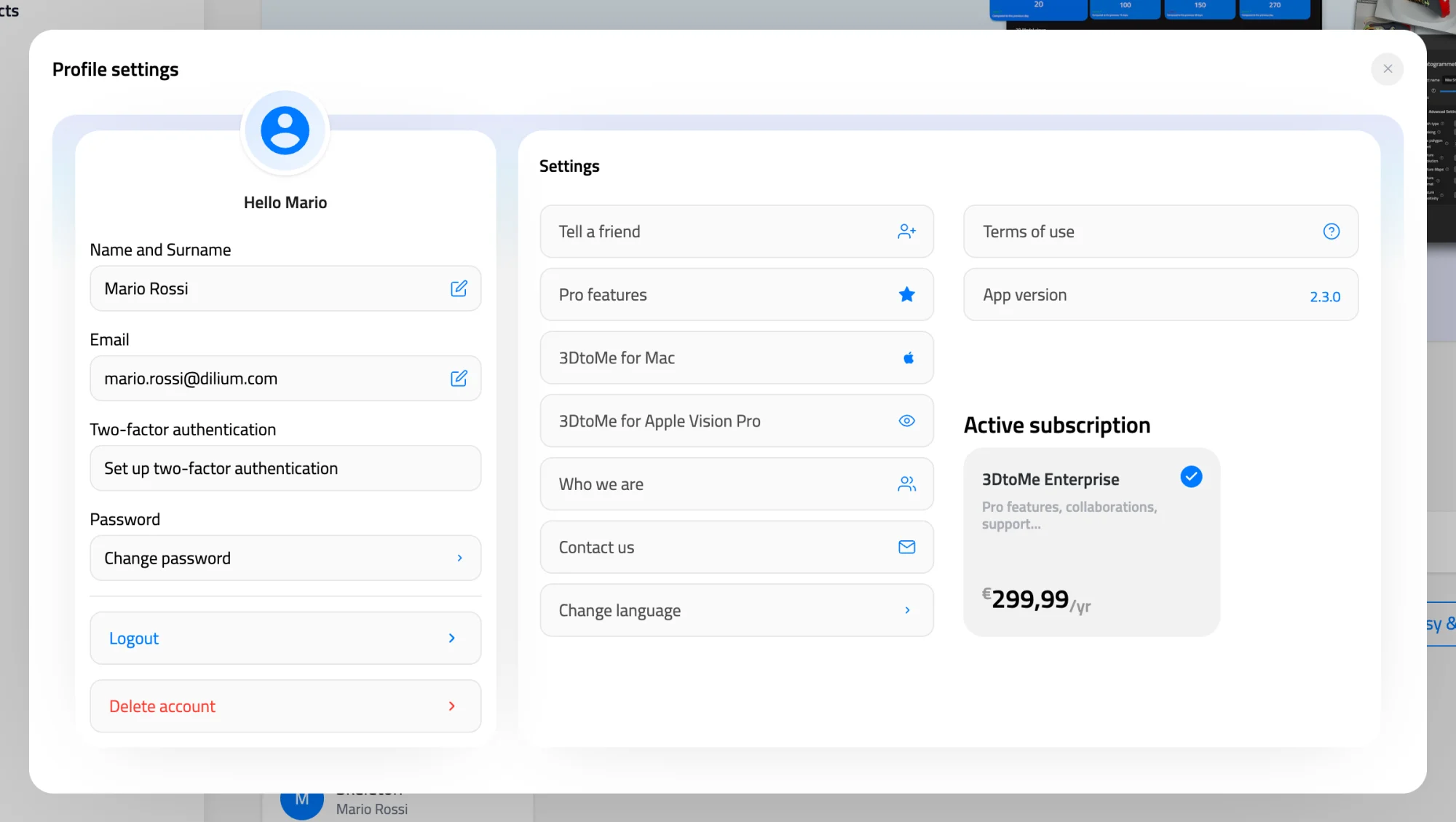
| Item | What it does |
|---|---|
| Name and Surname | Opens the Edit Name dialog. |
| Opens the Edit Email dialog. | |
| Two-factor authentication | Sets up or turns off two-factor authentication. See Log in. |
| Password | Opens the Change Password window. See Reset password. |
| Logout | Signs you out after you confirm. |
| Change language | Sets the language of the web viewer. |
| Contact us | Opens a form to write to the 3DtoMe sales team. |
| Active subscription | Shows your current plan. |
Change your name or email
- Sign in at viewer.3dto.me and click your name at the bottom of the left panel. The Profile settings window opens.
- Click your name under Name and Surname, or your address under Email.
- Type the new value in the Edit Name or Edit Email dialog.
- Click Save.
You log in with this email address in the web viewer and in the apps. You can't use an address that already belongs to another 3DtoMe account.
Change the language
- Sign in at viewer.3dto.me and click your name at the bottom of the left panel. The Profile settings window opens.
- Click Change language.
- Pick English, Italiano or Français, and confirm.
The web viewer remembers the language in this browser.
Next Steps
- Learn how to change your password.
- Turn on two-factor authentication.
- Discover how to buy a 3DtoMe subscription.
Still have questions?
If you still have questions, please reach out to our support team for assistance.
Contact Support