
AI Project Assistant
Ask questions about a project and get answers from its documents.
Overview
The Project Assistant is a chat that answers questions about one project. A visitor can ask about a product's dimensions, materials or maintenance. The assistant answers from the manuals and data sheets added to its knowledge for that project.
The 3DtoMe team turns the assistant on for each project. When it is on, everyone who can open the project can use it, whether they are signed in or not.
Open the assistant
On a project with the assistant turned on, a round chat button sits at the bottom right of the viewer. Click it to open the Project Assistant panel above the button. To close it, click the chat button again or the close button in the panel header.
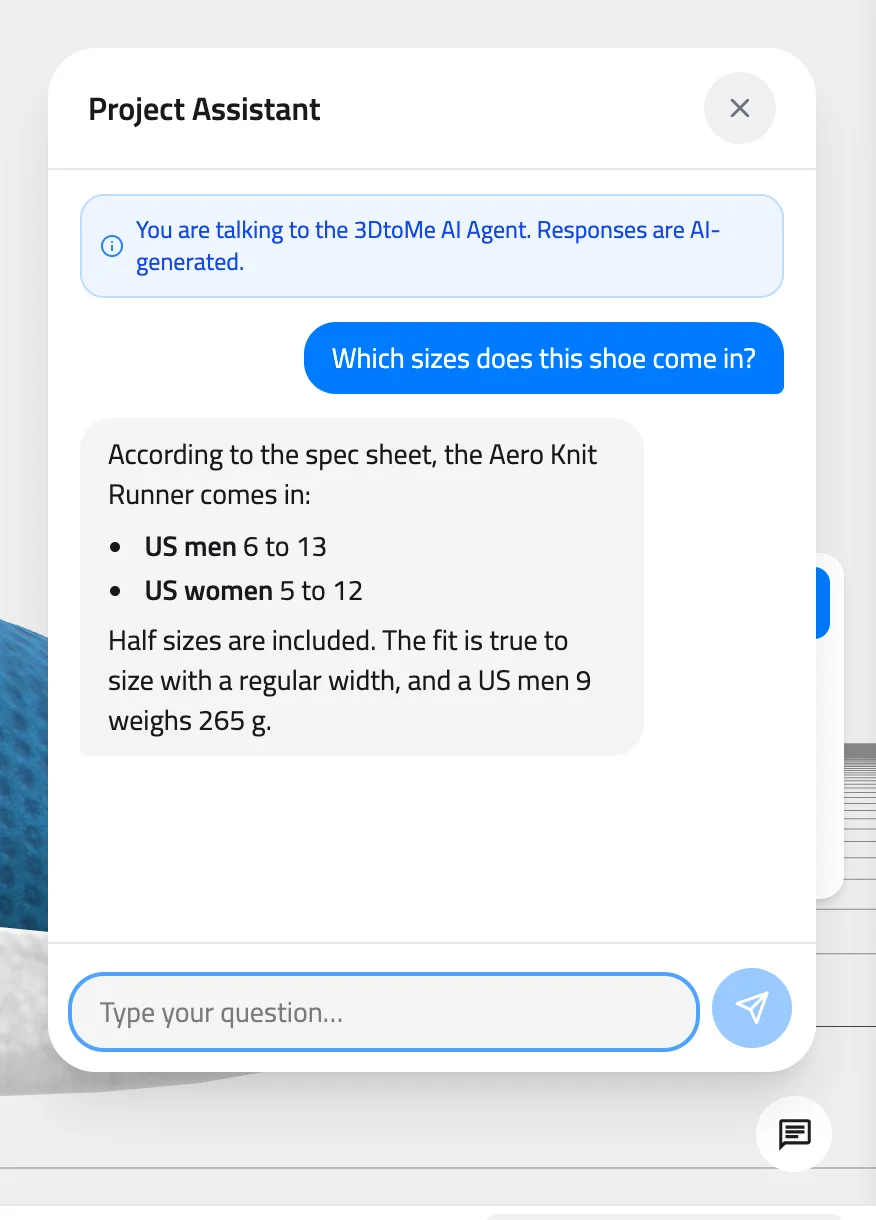
Model: MaterialsVariantsShoe by Shopify, CC BY 4.0
Ask a question
Type your question in the box at the bottom of the panel, where it says "Type your question…". Press Enter or click the send button to ask. Press Shift+Enter for a new line.
Three moving dots show that the assistant is writing its answer. Answers can contain headings, lists and links. Links open in a new tab.
The assistant remembers the earlier questions while the panel stays open, so you can ask follow-up questions. Closing the panel clears the conversation, and the next question starts a new one.
What the assistant knows
The assistant reads the project documents that the 3DtoMe team added to its knowledge. These are files uploaded to the project in PDF, TXT, MD, DOC, DOCX, PPT, PPTX, CSV, JSON or HTML format. A document counts only after the 3DtoMe team adds it to the assistant. Uploading it to the project is not enough.
- The assistant can't see the 3D models, images, videos, audio, annotations or comments.
- By default, when the documents don't cover a question, the assistant says it doesn't have that information instead of guessing.
- It stays on the subject of the project and its documents.
- A single question can be up to 4,000 characters long.
- Answers are AI-generated and can be wrong. Check anything important against the original document.
- If a request fails, the panel shows "Something went wrong. Please try again." Send the question again.
Add the assistant to a project
Project owners can't turn the assistant on themselves. The assistant is an add-on for the Corporate and Enterprise plans. To set it up for one of your projects, contact the 3DtoMe team and tell them which project and which documents it should use.
The assistant reads files from the project's Assets panel. To upload documents there, see Create and upload.
Next Steps
- Upload manuals and data sheets to a project in Create and upload.
- Find every button in the Web user interface tour.
- Compare what each plan includes in Features by plan.
Still have questions?
If you still have questions, please reach out to our support team for assistance.
Contact Support